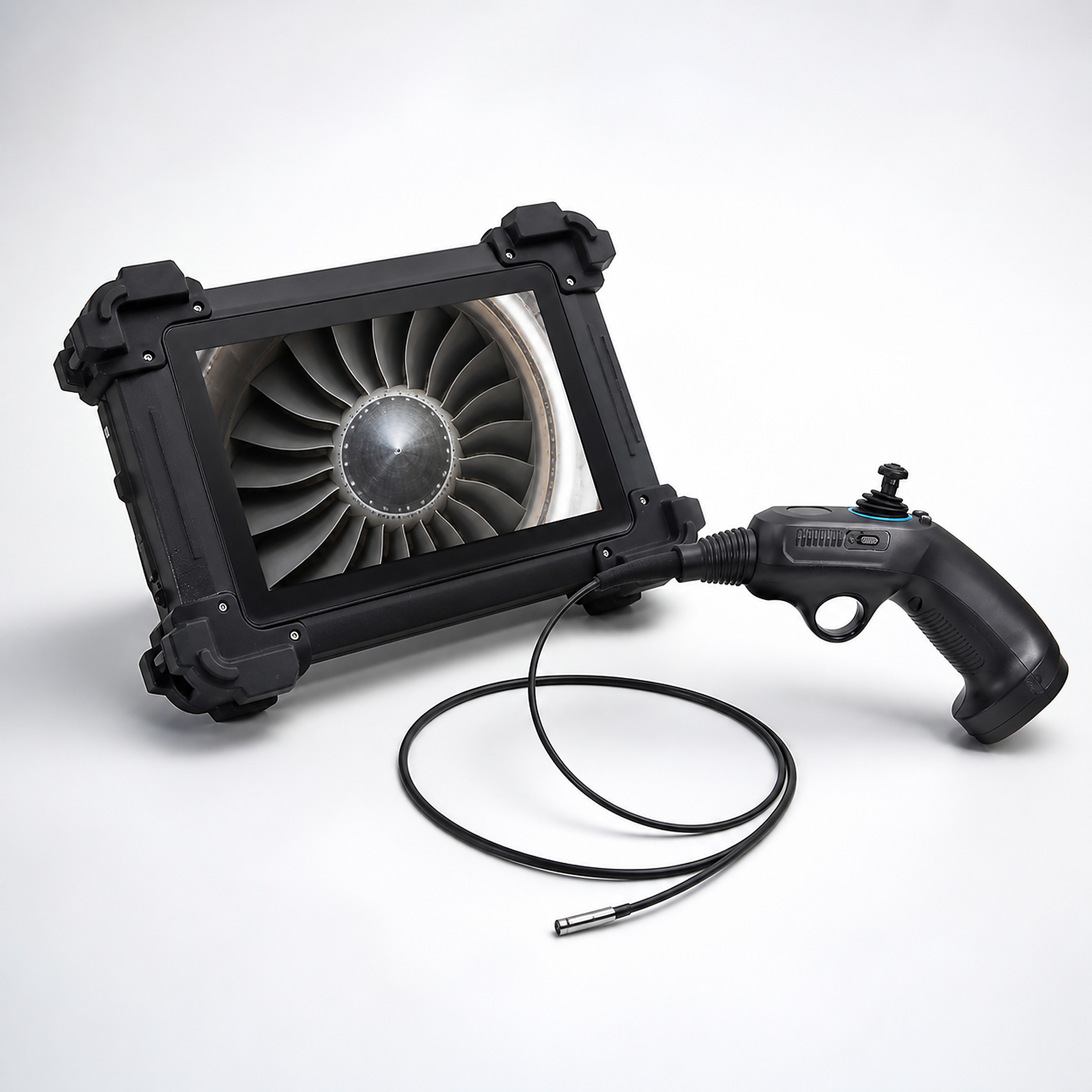
SVX split-type industrial borescope
10.1 An inch split-touching platform that combines opacity, screen observation and image labelling.
Largescreen Touch
10.1 Inches IPS Touch screen supports image viewing, handing and rotation.Multi-spectrum probe
Provides multiple probe specifications from 1 mm to 6 mm, matching the observation mission by entry.Guided and length matching
Lines can be configured in a range of 1-7 m, with small diameters and conventional probe orientations.Designed for testing
SVX Product and Test Capacity
SVX uses a structure that shows the separation of the host from the probe ‘ s control, which is suitable for detection tasks that need to be balanced with both a probe operation and a large screen observation.10.1 Inches IPS Touch screens are used to view internal images, adjust images and record information, and the end of the probe can be matched by the channel diameter, the length of entry and the curved path.
The system is based on embedded Linux, which provides real-time scaling, image freezing, rotation, near-vision mode and text and drawing labels.Photographs, videos and videos can be captured in equipment and exported by USB, and HDMI can connect external display devices for on-site review, multiple review and quality records.
- check_circleDivision Operations
- check_circleLargescreen Touch
- check_circleMulti-spectrum probe
- check_circleGuided and length matching
Core functions
Designed for physical testing
The key capabilities that affect the efficiency of on-site testing are centralized in a testing platform.
Division Operations
Displays the separation from the probe operation to facilitate the adjustment of viewing and manipulation positions to the workspace.
Largescreen Touch
10.1 Inches IPS Touch screen supports image viewing, handing and rotation.
Multi-spectrum probe
Provides multiple probe specifications from 1 mm to 6 mm, matching the observation mission by entry.
Guided and length matching
Lines can be configured in a range of 1-7 m, with small diameters and conventional probe orientations.
Image Optimization
Negative, coloured, black and white, and distant view models can be used for observation of different materials and distances.
Synchronization of records
Saves JPEG / BMP pictures and MP4 videos, and can capture key images on video.
Marking and review
Adds text and drawing labels to the image to match the problem position to the test record.
Storage & External Display
The built-in storage can be extended to support external USB storage and HDMI display output.
Typical application
Manufacturing quality checks
Operate a probe on the workstation and view the inner cavity and the surface of the channel through an independent screen.
Maintenance of equipment
Select the probes by calibration and path to check internal wear, corrosive and alien objects.
Long Path Check
Configure pipes by the length of the test, confirming the turn paths and directional performance in advance.
Multiple review
Jointly review images and defects marks by displaying them on screen or via HDMI.
Test Process
Full detection process from entry to judgement
Access to detection area
Redirection of observation
Watch the internal state.
Record the results.
Analysis and review
Technical parameters
Display10.1 inches IPS Touch screen
Show Resolution1024 × 768
Operating systemsEmbedded Linux
StructurePartition Display & Control
Probe diameter1 / 1.2 / 1.7 / 2.2 / 2.8 / 3 / 3.9 / 6 mm
Pipe length1-7 m, by probe
Pixel Configuration160,000 per hour per hour per hourGeneral configuration 1 million
Spectrum.120°, confirmed by optical configuration
Deep Configuration5–50 / 5–100 / 8–80 mm
Bend angleSmall diameter configuration 120°;Other suitable probes 150°
Zoom in Real Time5×
Picture FormatJPEG / BMP
Video FormatMP4
Image OperationsFreeze, rotate, scale, draw and text label
Memory2 GB
Internal storage16 GB, extended to 64 GB
External storageUSB
Show OutputHDMI;VGA Selection
LightingLED / fibre-optic, by probe configuration
Brightness AdjustmentHigh, low, 5 degrees
Probe protection.IP67
Host working temperature-20 to 50° C
Working temperature of the probe-20 to 60° C
Storage temperature-40 to 60° C
Relative humidity15-90%, no condensation.
The duration, pixels, curved angles and depths of the probes are confirmed according to the selected specifications.VGA is an optional output;IP67 only indicates a detection protection level.
Need help?
Contact us. →Contact industrial inspection expert.
Tell us about your application, and we'll help recommend the right product configuration.